Management Accounts you can click into
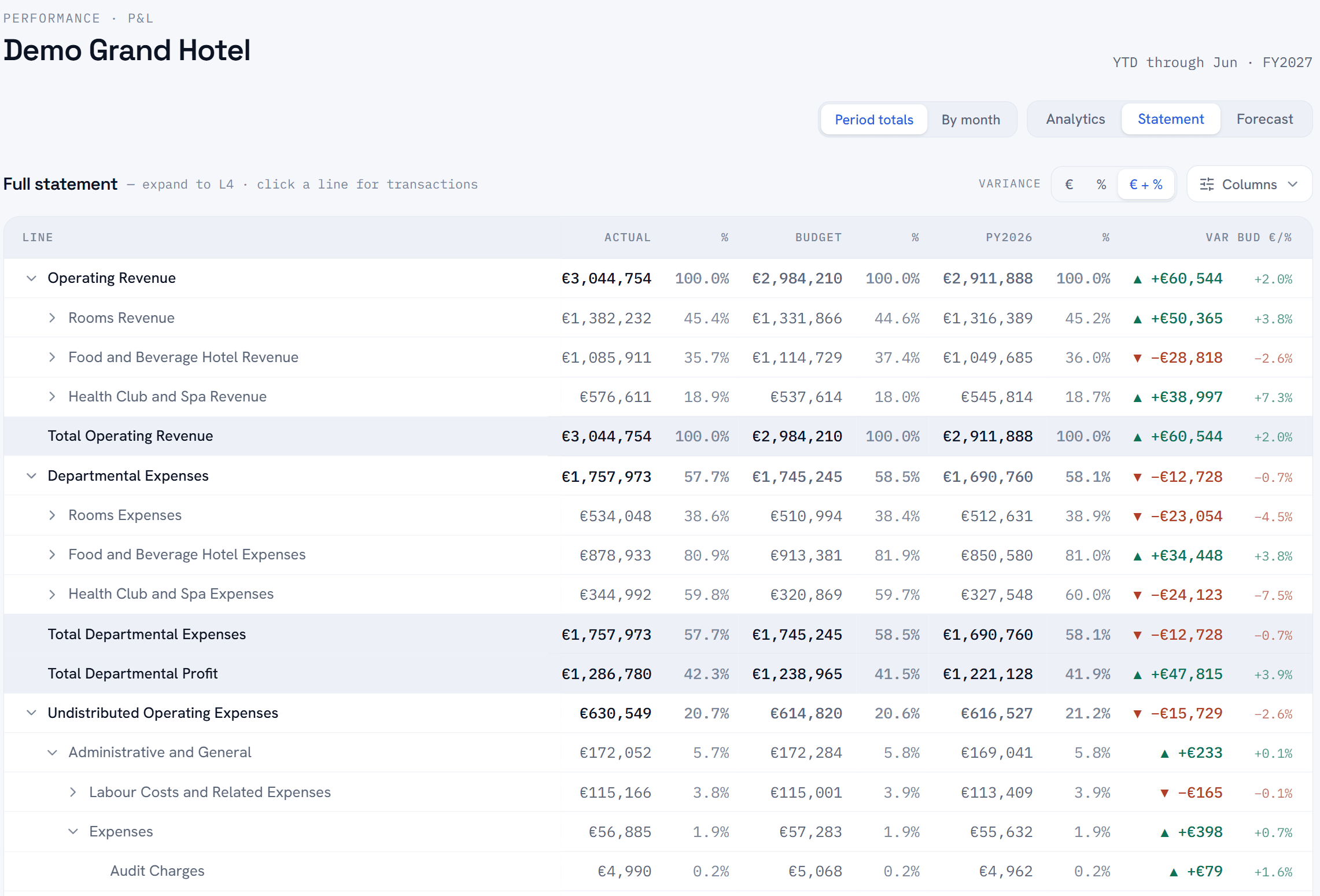
Your P&L, KPIs and departmental analysis behind a secure login, updated every month-end. Own more than one hotel? The same view combines them.
What’s in it
Build your own view
Pick any line, subtotal or KPI, Gross Operating Profit next to Rooms Revenue next to Occupancy, chart them together, and track them by month, quarter or year against budget and last year.
Everything is clickable
Click a P&L line to see the transactions behind it. Click a department to filter the payroll view. Click a revenue category and the trend chart follows.
Every department, costed
Every department’s revenue and costs, with payroll split by department and shown as a share of revenue, the split most independents’ reporting stops short of.
Who sees what
Role-based access behind a secure login. Owners see everything. Heads of Department see their own numbers. One set of figures, different views of it.
Why your FC does the mapping
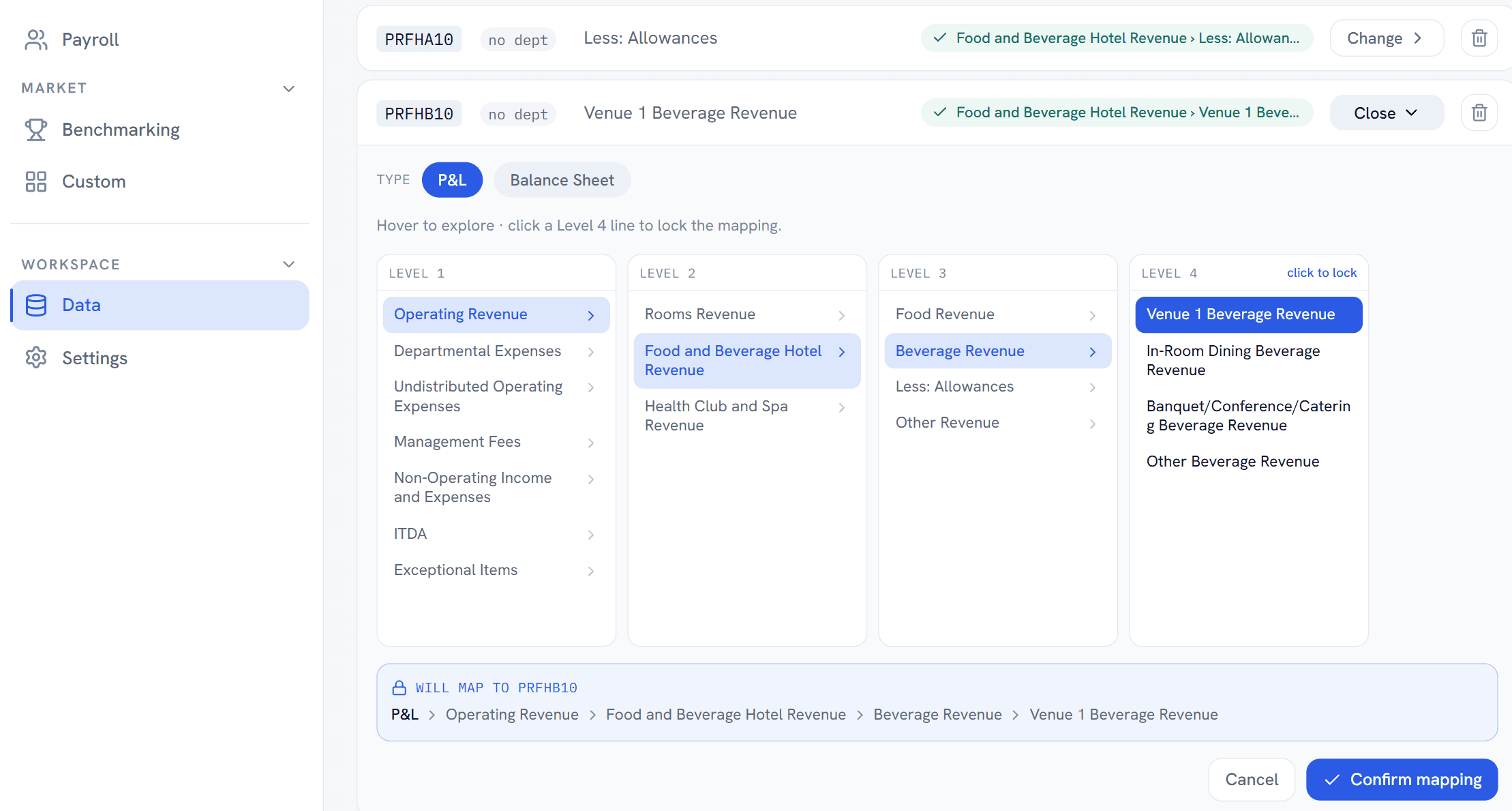
You map your chart of accounts into USALI structure. SSOT supplies the structure, the software and the guidance.
- It’s a four-level picker: statement group, department, category, line. Four clicks, then lock it.
- The P&L builds as they map, so the result is checked while it is being made.
- After that it’s one upload a month. New codes are flagged until they are mapped.
Where the close gets checked, not just published
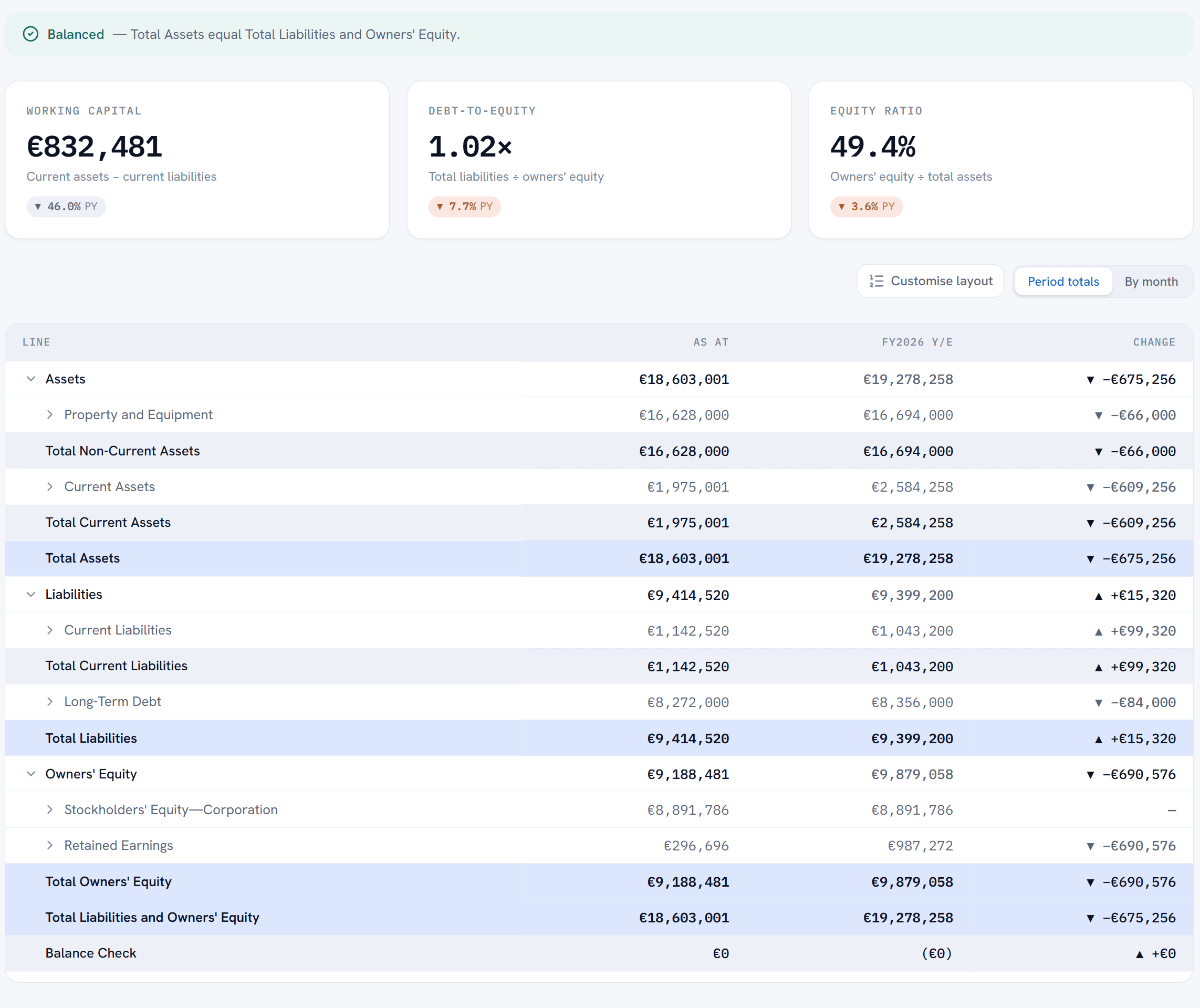
- Every balance sheet carries a balance check, on the face of the statement, every month.
- Something off? Post the correction in your accounting system, reload, look again.
- Nobody sees a number you haven’t approved.
Management accounts that build themselves
Your Financial Controller keeps closing the month the way they already do. SSOT turns that close into management accounts the whole team can work from.
Every figure traces back
Each line in the P&L is built from your GL transactions and drills down to them, so anyone with access can check a number in a click.
The know-how stays with the hotel
Your mapping is set up once and lives in the platform, so the accounts come out the same way every month, whoever is in the office.
Ready the day you upload
Load the month’s GL file and the P&L, KPIs and departmental views update in the same layout. The time goes on the conversation, not on building the pack.
See what SSOT can do with your hotel’s numbers
Get in touch and we’ll show you exactly what SSOT can do with your hotel’s financial data.